Skip to content

Concept buildA worked example of how we would build this for a typical business. Not client work: no client, no client data, no achieved results.

AI Video

Concept build

Data-driven Listing Videos for a Property Portal

A concept build for a pipeline that turns a listing’s own data and licensed photos into short vertical and widescreen videos on one brand template. A model writes scene captions only from the listing fields, every number on screen is checked against the record, and nothing is published until a reviewer at the portal approves it.

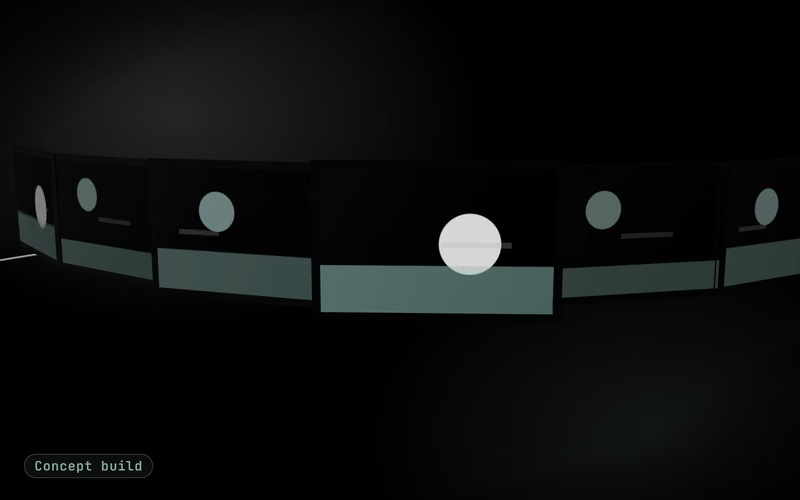
Concept build cover: a silver filmstrip of glowing frames curving through dark inkConcept build
Built for
A typical property portal
Industry
Real estate
Market
UAE market
Typical timeline
4–6 weeks from template design to a reviewed pilot batch

The brief

The problem this concept answers

A typical property portal in the UAE wants video on every listing, yet few of its listings have one. Agents have no time to edit footage, freelance edits look different every time, and a wrong price or floor area in a video is harder to correct than a typo on a web page. Bilingual audiences expect captions in Arabic and English, and every ad has to carry the details local advertising rules require. The portal already holds the structured data and the photos; what it lacks is a way to turn them into consistent, checked videos at the pace new listings arrive.

In the first version

  • One brand template in vertical and widescreen formats
  • Storyboard builder fed by the listing data
  • English and Arabic captions with a field-by-field check
  • Render queue, storage and listing-page attachment
  • Review screen, plus re-render on a price or status change

Left out on purpose

  • Filming, drone footage or new photography
  • AI-generated or virtually staged room images
  • Paid ad placement and campaign management
  • Avatar presenters or cloned voices of real agents

Explainer

The build in seven slides

Watch the narrated video, step through the slides or read the transcript.

Explainer · 7 slides · about 44 s

Concept build

Concept build: Data-driven Listing Videos for a Property Portal

Concept build, explained in 7 slides: a concept build for a pipeline that turns a listing’s own data and licensed photos into short vertical and widescreen videos on one brand template.

Concept build: Data-driven Listing Videos for a Property PortalConcept build

AI video generation

Data-driven Listing Videos for a Property Portal

A concept build for a pipeline that turns a listing’s own data and licensed photos into short vertical and widescreen videos on one brand template.

Concept build: Data-driven Listing Videos for a Property PortalConcept build

The problem

What a typical property portal is up against

A typical property portal in the UAE wants video on every listing, yet few of its listings have one. Agents have no time to edit footage, freelance edits look different every time, and a wrong price or floor area in a video is harder to correct than a typo on a web page.

Concept build: Data-driven Listing Videos for a Property PortalConcept build

The approach

How we would build it, in 5 steps

  • Template and rules with the portal
  • Listing data to storyboard
  • Captions from fields, not imagination
  • Rendering at listing volume
  • Review gate and publishing
Concept build: Data-driven Listing Videos for a Property PortalConcept build

Architecture

How the pieces connect

Diagram: Listing feed to Storyboard builder (fields); Licensed photos to Storyboard builder (photos); Storyboard builder to Caption model (scene facts); Caption model to Remotion render (checked captions); Brand template to Remotion render (template); Remotion render to Portal reviewer (two formats); Portal reviewer to R2 video storage (approved); R2 video storage to Listing page (publish).

Diagram with 9 parts: Listing feed (source), Licensed photos (source), Brand template (source), Storyboard builder (processing), Remotion render (processing), Caption model (model), Portal reviewer (human), R2 video storage (system of record), Listing page (system of record).

Connections:

  • Listing feed → Storyboard builder (fields)
  • Licensed photos → Storyboard builder (photos)
  • Storyboard builder → Caption model (scene facts)
  • Caption model → Remotion render (checked captions)
  • Brand template → Remotion render (template)
  • Remotion render → Portal reviewer (two formats)
  • Portal reviewer → R2 video storage (approved)
  • R2 video storage → Listing page (publish)
Concept build: Data-driven Listing Videos for a Property PortalConcept build

Demo · sample run

Sample data

A two-bedroom listing, rendered and reviewed

Scenario: A two-bedroom listing, rendered and reviewed

  1. Listing record receivedSample listing: 2 bedrooms, 1,250 sq ft, 9 licensed photos, permit details present.Done
  2. Storyboard builtSix scenes in the agent’s photo order, from the exterior to the closing card.Done
  3. Captions drafted and checkedEnglish and Arabic captions; one area figure corrected to match the record.Needs review
  4. Rendered in two formatsA 30-second 9:16 video for social and a 16:9 video for the listing page.Done
  5. Reviewer approvesThe portal reviewer checks both videos against the listing data and approves.Handed to a person
  6. Published to the listingAttached to the listing page and offered to the listing agent for social use.Done
Concept build: Data-driven Listing Videos for a Property PortalConcept build

Typical targets

What we would measure it against

  • Typical targetA 30-second video per listing, rendered in minutes from listing dataBasis: Render time per template is benchmarked on the portal’s own render worker during the pilot
  • Typical targetEvery number in a video matches the listing recordBasis: Design property: captions are checked field by field against the source data before rendering
  • Typical targetOne brand template across every listing videoBasis: Design property: a single locked template driven by data;
  • Typical targetNo video published without a reviewer’s approvalBasis: Design property: publishing starts only from the review screen;
Concept build: Data-driven Listing Videos for a Property PortalConcept build

Next step

Scope a build like this for your business

A free call to map your workflow, data and the first version.

Book a Strategy CallFree 30-minute call · no commitment

Slide 1 of 7

Architecture

How the pieces connect

  • Listing feed· source
  • Licensed photos· source
  • Brand template· source
  • Storyboard builder· processing
  • Remotion render· processing
  • Caption model· model
  • Portal reviewer· person
  • R2 video storage· system of record
  • Listing page· system of record
Show the architecture diagram

Architecture of the Data-driven Listing Videos for a Property Portal concept: Listing feed → Storyboard builder (fields); Licensed photos → Storyboard builder (photos); Storyboard builder → Caption model (scene facts); Caption model → Remotion render (checked captions); Brand template → Remotion render (template); Remotion render → Portal reviewer (two formats); Portal reviewer → R2 video storage (approved); R2 video storage → Listing page (publish).

Diagram with 9 parts: Listing feed (source), Licensed photos (source), Brand template (source), Storyboard builder (processing), Remotion render (processing), Caption model (model), Portal reviewer (human), R2 video storage (system of record), Listing page (system of record).

Connections:

  • Listing feed → Storyboard builder (fields)
  • Licensed photos → Storyboard builder (photos)
  • Storyboard builder → Caption model (scene facts)
  • Caption model → Remotion render (checked captions)
  • Brand template → Remotion render (template)
  • Remotion render → Portal reviewer (two formats)
  • Portal reviewer → R2 video storage (approved)
  • R2 video storage → Listing page (publish)

Connections

  1. Listing feed → Storyboard builder (fields)
  2. Licensed photos → Storyboard builder (photos)
  3. Storyboard builder → Caption model (scene facts)
  4. Caption model → Remotion render (checked captions)
  5. Brand template → Remotion render (template)
  6. Remotion render → Portal reviewer (two formats)
  7. Portal reviewer → R2 video storage (approved)
  8. R2 video storage → Listing page (publish)

Sample run

One run, step by step

A two-bedroom listing, rendered and reviewedSample data
  1. Listing record receivedRoutine

    Sample listing: 2 bedrooms, 1,250 sq ft, 9 licensed photos, permit details present.

  2. Storyboard builtRoutine

    Six scenes in the agent’s photo order, from the exterior to the closing card.

  3. Captions drafted and checkedNeeds care

    English and Arabic captions; one area figure corrected to match the record.

  4. Rendered in two formatsRoutine

    A 30-second 9:16 video for social and a 16:9 video for the listing page.

  5. Reviewer approvesA person takes over

    The portal reviewer checks both videos against the listing data and approves.

  6. Published to the listingRoutine

    Attached to the listing page and offered to the listing agent for social use.

Build plan

How we would build it

Typical timeline
4–6 weeks from template design to a reviewed pilot batch
Stack
  • Remotion video templates
  • Listing feed via the portal’s API
  • Language model for scene captions
  • Field-by-field caption check
  • Arabic and English caption typefaces
  • Cloudflare R2 storage
  • Review and approval screen
  • Optional labelled synthetic voice
  1. Template and rules with the portal

    We design one motion template with the portal’s brand team: scene order, type, colour, logo placement and caption style, in 9:16 for social and 16:9 for the listing page. Arabic captions get their own right-to-left layout and typeface rather than a mirrored English one. The template reserves a fixed slot for the advertising permit details local rules require, and a listing without them cannot render.

  2. Listing data to storyboard

    A storyboard builder reads the listing feed: photos in the order the agent set, price, area, bedrooms, location and amenities. Only photos the portal has the rights to use enter the pipeline, and they are cropped but never generated or altered, so a video cannot show a room that is not there. Missing or contradictory fields stop the storyboard with a reason instead of being filled in.

  3. Captions from fields, not imagination

    A language model writes short scene captions in English and Arabic from the listing fields alone, and a check compares every number in a caption with its source field before rendering. Phrases the portal bans, such as promised rental returns or unprovable superlatives, are blocked by a word list. An optional synthetic voice-over is labelled as synthetic on screen.

  4. Rendering at listing volume

    Videos render with Remotion on a render worker in the portal’s cloud account, queued so a busy morning of new listings does not hold anything else up. Outputs go to Cloudflare R2 storage with the listing ID in the file name. Remotion is source-available and larger companies buy a company licence, so that cost is in the plan from the start.

  5. Review gate and publishing

    A reviewer at the portal sees each video beside the listing data it came from and approves it, edits a caption or rejects it with a reason. Approved videos attach to the listing page and are offered to the listing agent for social use. When a price or status changes, the old video is withdrawn and a new one is queued for review.

Typical targets

What we would measure it against

Targets for a typical business of this kind, not achieved results. A real project measures its own baseline first.
  • Typical target

    A 30-second video per listing, rendered in minutes from listing data

    Basis: Render time per template is benchmarked on the portal’s own render worker during the pilot

  • Typical target

    Every number in a video matches the listing record

    Basis: Design property: captions are checked field by field against the source data before rendering

  • Typical target

    One brand template across every listing video

    Basis: Design property: a single locked template driven by data; changes happen in the template, not per video

  • Typical target

    No video published without a reviewer’s approval

    Basis: Design property: publishing starts only from the review screen; a price or status change re-queues review

Your project

What a real project adds

  • Rights cleared for every asset

    Footage, voices, music and fonts checked for licence and use before they enter a template.

  • Your brand as templates

    Your type, colours, intro and outro built once as reusable templates, so every video stays on brand.

  • A person approves every video

    Scripts are signed off before render and the final cut before publishing; nothing goes out automatically.

  • Delivery in the formats you publish

    Aspect ratios, caption files and file sizes matched to the channels you actually use.

Decisions this concept leaves for scoping

  • Filming, drone footage or new photography
  • AI-generated or virtually staged room images
  • Paid ad placement and campaign management
  • Avatar presenters or cloned voices of real agents

FAQ

Questions about this build

Is a property portal publishing these listing videos?

No. The listing video studio is a concept build: it describes the pipeline we would set up for a typical UAE property portal, and the apartment in the demo does not exist. A real portal would bring its own brand template, listing feed and review team, and the render-time target would be benchmarked on its own infrastructure.

Could a video show something the property doesn’t have?

Not by design. The pipeline uses only the listing’s own licensed photos, crops them but never generates or retouches rooms, and writes captions from the listing fields alone. Every number on screen is checked against the record before rendering, and a person approves each video before it goes live.

How are Arabic captions handled?

Arabic is designed as its own layout, not a mirror of the English one: right-to-left text, an Arabic typeface chosen with the brand team, and numerals in the style the portal prefers. Captions are written from the listing fields in each language separately, and a bilingual reviewer at the portal signs off the caption style on the first batch.

What happens to a video when the price changes?

It is withdrawn. A change to the price, status or another key field in the listing feed marks the old video as out of date, removes it from the listing page and queues a new render for review. The portal chooses which fields trigger a re-render, so fixing a typo in the description does not create review work.

Do we need a Remotion licence to run this?

Most likely, yes. Remotion’s licence is free for individuals and for companies with up to three employees, and larger companies buy a company licence (Remotion’s published licence terms, checked October 2026). A portal running this pipeline will usually need one, so it goes into the running-cost estimate next to render compute and storage, and the licence is held in the portal’s name.

Worked examples

More concept builds for this service

Concept builds are worked examples, not client work.

See all concept builds
Concept build

AI Video

Lesson Explainer Video Pipeline for an EdTech Team

A concept build for a pipeline that turns a teacher’s lesson outline into a captioned explainer video, with the teacher’s review at the centre of every step. A model drafts the script, the teacher edits and approves it, and slides, captions and the render follow automatically before the video is uploaded to the LMS.

  • Education
  • India market
  • Oct 2026

Next step

Have a workflow in mind? Let’s scope it together.

Book a free 30-minute strategy call. Bring one process you want to automate and we will talk through scope, integrations and a sensible first step.

Free 30-minute call · no commitment

Send an RFP or security questionnaire