Skip to content

Concept buildA worked example of how we would build this for a typical business. Not client work: no client, no client data, no achieved results.

AI Video

Concept build

Lesson Explainer Video Pipeline for an EdTech Team

A concept build for a pipeline that turns a teacher’s lesson outline into a captioned explainer video, with the teacher’s review at the centre of every step. A model drafts the script, the teacher edits and approves it, and slides, captions and the render follow automatically before the video is uploaded to the LMS.

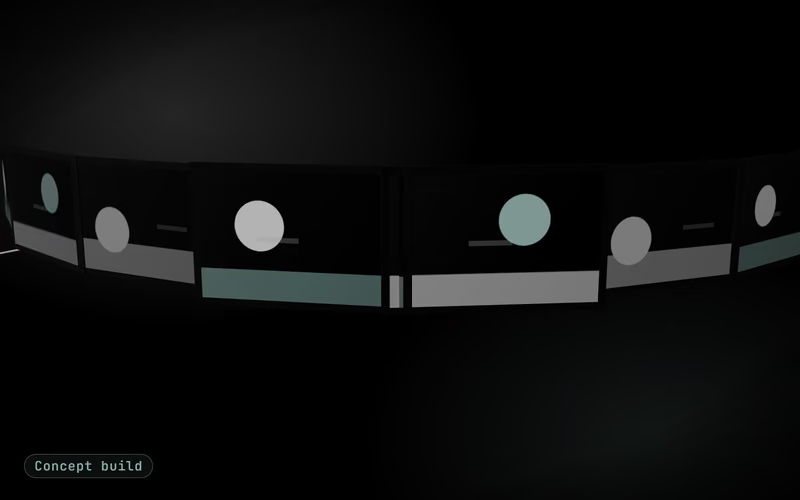
Concept build cover: a sage filmstrip of slide frames turning in dark inkConcept build
Built for
A typical EdTech content team
Industry
Education
Market
India market
Typical timeline
4–6 weeks from lesson format to a pilot on one course

The brief

The problem this concept answers

A typical edtech content team in India has more lessons to explain than it can film. Each explainer passes through scripting, slide design, recording, editing and captioning, and the subject teacher waits at every handover. Production capacity, not teaching quality, decides how many lessons get a video, and captions are often added last or skipped. Courses taught in Hindi and English double the work. The team wants teachers to stay in charge of what is taught while the repetitive steps between an approved script and a finished, captioned video stop needing a person.

In the first version

  • Lesson format and slide templates in Hindi and English
  • Script drafting with the model’s additions highlighted
  • Teacher review screen with stored approvals
  • Captions generated from the approved script
  • Render, LMS upload and version history

Left out on purpose

  • Student data, analytics or assessment marking
  • Live-action filming and studio recording
  • Voice cloning of real teachers
  • Curriculum design, which stays with the academic team

Explainer

The build in seven slides

Watch the narrated video, step through the slides or read the transcript.

Explainer · 7 slides · about 44 s

Concept build

Concept build: Lesson Explainer Video Pipeline for an EdTech Team

Concept build, explained in 7 slides: a concept build for a pipeline that turns a teacher’s lesson outline into a captioned explainer video, with the teacher’s review at the centre of every step.

Concept build: Lesson Explainer Video Pipeline for an EdTech TeamConcept build

AI video generation

Lesson Explainer Video Pipeline for an EdTech Team

A concept build for a pipeline that turns a teacher’s lesson outline into a captioned explainer video, with the teacher’s review at the centre of every step.

Concept build: Lesson Explainer Video Pipeline for an EdTech TeamConcept build

The problem

What a typical EdTech content team is up against

A typical edtech content team in India has more lessons to explain than it can film. Each explainer passes through scripting, slide design, recording, editing and captioning, and the subject teacher waits at every handover.

Concept build: Lesson Explainer Video Pipeline for an EdTech TeamConcept build

The approach

How we would build it, in 5 steps

  • Lesson format and slide templates
  • Script draft from the outline
  • Teacher review gate
  • Slides, captions and the render
  • LMS upload and versioning
Concept build: Lesson Explainer Video Pipeline for an EdTech TeamConcept build

Architecture

How the pieces connect

Diagram: Lesson outline to Script model (outline); Script model to Teacher review (script draft); Teacher review to Slide templates (approved script); Teacher review to Caption builder (approved script); Licensed media to Slide templates (images); Slide templates to Remotion render (scenes); Caption builder to Remotion render (caption track); Remotion render to LMS via its API (versioned upload).

Diagram with 8 parts: Lesson outline (source), Licensed media (source), Slide templates (processing), Caption builder (processing), Remotion render (processing), Script model (model), Teacher review (human), LMS via its API (system of record).

Connections:

  • Lesson outline → Script model (outline)
  • Script model → Teacher review (script draft)
  • Teacher review → Slide templates (approved script)
  • Teacher review → Caption builder (approved script)
  • Licensed media → Slide templates (images)
  • Slide templates → Remotion render (scenes)
  • Caption builder → Remotion render (caption track)
  • Remotion render → LMS via its API (versioned upload)
Concept build: Lesson Explainer Video Pipeline for an EdTech TeamConcept build

Demo · sample run

Sample data

One lesson, from outline to the LMS

Scenario: One lesson, from outline to the LMS

  1. Teacher submits the outlineSample lesson: placing fractions on a number line, class 6, in English and Hindi.Done
  2. Script draftedNarration and slide text in the lesson format; two added examples highlighted.Done
  3. Teacher review gateThe teacher rewrites one example and approves; the approval is stored.Handed to a person
  4. Slides and captions builtTemplates filled from the approved script; captions generated from the same text.Done
  5. Render check fails onceOne Hindi line overflows its slide; the template shrinks the text and re-renders.Needs review
  6. Uploaded to the LMSVideo, caption track and version 1 attached to the lesson through the API.Done
Concept build: Lesson Explainer Video Pipeline for an EdTech TeamConcept build

Typical targets

What we would measure it against

  • Typical targetA reviewable first draft within one working day of the outlineBasis: Draft, layout, captions and render are automated with teacher review kept;
  • Typical targetProduction time per lesson cut from days to hoursBasis: The team’s current production steps are timed at scoping, then compared lesson by lesson in the pilot
  • Typical targetCaptions on every video, matching the approved script word for wordBasis: Design property: captions are generated from the script, not transcribed from the audio
  • Typical targetNo video published without the teacher’s approvalBasis: Design property: rendering starts only from an approved script, and the approval is stored with the lesson
Concept build: Lesson Explainer Video Pipeline for an EdTech TeamConcept build

Next step

Scope a build like this for your business

A free call to map your workflow, data and the first version.

Book a Strategy CallFree 30-minute call · no commitment

Slide 1 of 7

Architecture

How the pieces connect

  • Lesson outline· source
  • Licensed media· source
  • Slide templates· processing
  • Caption builder· processing
  • Remotion render· processing
  • Script model· model
  • Teacher review· person
  • LMS via its API· system of record
Show the architecture diagram

Architecture of the Lesson Explainer Video Pipeline for an EdTech Team concept: Lesson outline → Script model (outline); Script model → Teacher review (script draft); Teacher review → Slide templates (approved script); Teacher review → Caption builder (approved script); Licensed media → Slide templates (images); Slide templates → Remotion render (scenes); Caption builder → Remotion render (caption track); Remotion render → LMS via its API (versioned upload).

Diagram with 8 parts: Lesson outline (source), Licensed media (source), Slide templates (processing), Caption builder (processing), Remotion render (processing), Script model (model), Teacher review (human), LMS via its API (system of record).

Connections:

  • Lesson outline → Script model (outline)
  • Script model → Teacher review (script draft)
  • Teacher review → Slide templates (approved script)
  • Teacher review → Caption builder (approved script)
  • Licensed media → Slide templates (images)
  • Slide templates → Remotion render (scenes)
  • Caption builder → Remotion render (caption track)
  • Remotion render → LMS via its API (versioned upload)

Connections

  1. Lesson outline → Script model (outline)
  2. Script model → Teacher review (script draft)
  3. Teacher review → Slide templates (approved script)
  4. Teacher review → Caption builder (approved script)
  5. Licensed media → Slide templates (images)
  6. Slide templates → Remotion render (scenes)
  7. Caption builder → Remotion render (caption track)
  8. Remotion render → LMS via its API (versioned upload)

Sample run

One run, step by step

One lesson, from outline to the LMSSample data
  1. Teacher submits the outlineRoutine

    Sample lesson: placing fractions on a number line, class 6, in English and Hindi.

  2. Script draftedRoutine

    Narration and slide text in the lesson format; two added examples highlighted.

  3. Teacher review gateA person takes over

    The teacher rewrites one example and approves; the approval is stored.

  4. Slides and captions builtRoutine

    Templates filled from the approved script; captions generated from the same text.

  5. Render check fails onceNeeds care

    One Hindi line overflows its slide; the template shrinks the text and re-renders.

  6. Uploaded to the LMSRoutine

    Video, caption track and version 1 attached to the lesson through the API.

Build plan

How we would build it

Typical timeline
4–6 weeks from lesson format to a pilot on one course
Stack
  • Claude, OpenAI or Gemini for drafts
  • Teacher review screen
  • Remotion slide templates
  • Caption track from the approved script
  • Devanagari and Latin fonts
  • Optional labelled synthetic voice
  • Your LMS via its API
  • Versioned video storage
  1. Lesson format and slide templates

    We agree a lesson format with the academic lead: learning objective, worked example, common mistake, recap and practice prompt. That format becomes a small set of Remotion slide templates in the platform’s style, with Devanagari and Latin fonts embedded so Hindi and English text renders correctly at any resolution.

  2. Script draft from the outline

    The teacher writes or pastes a lesson outline, and a language model drafts the narration and on-screen text in the agreed format, at the course’s reading level. The draft highlights every factual statement it added beyond the outline, so the teacher can see exactly what the model introduced.

  3. Teacher review gate

    Nothing renders until the teacher approves the script on a simple review screen, editing lines directly or asking for a redraft with a note. The approved script, not the model’s draft, is the source for every later step, and the approval is stored with the teacher’s name and the date as the record of who signed off the content.

  4. Slides, captions and the render

    The approved script fills the slide templates, and captions are generated from the script itself rather than from speech recognition, so they match the words exactly. Narration is either the teacher’s own recording against a timing guide or, if the team prefers, a synthetic voice labelled as synthetic in the video. Remotion renders each lesson in the course’s formats, under a Remotion company licence where the team’s size requires one.

  5. LMS upload and versioning

    Finished videos upload to the LMS through its API, with captions attached as a separate track, the lesson ID and a version number. When a teacher updates a script, the pipeline re-renders and replaces the video in place, keeping the earlier version in storage so the change history stays with the lesson.

Typical targets

What we would measure it against

Targets for a typical business of this kind, not achieved results. A real project measures its own baseline first.
  • Typical target

    A reviewable first draft within one working day of the outline

    Basis: Draft, layout, captions and render are automated with teacher review kept; timed per lesson in the pilot

  • Typical target

    Production time per lesson cut from days to hours

    Basis: The team’s current production steps are timed at scoping, then compared lesson by lesson in the pilot

  • Typical target

    Captions on every video, matching the approved script word for word

    Basis: Design property: captions are generated from the script, not transcribed from the audio

  • Typical target

    No video published without the teacher’s approval

    Basis: Design property: rendering starts only from an approved script, and the approval is stored with the lesson

Your project

What a real project adds

  • Rights cleared for every asset

    Footage, voices, music and fonts checked for licence and use before they enter a template.

  • Your brand as templates

    Your type, colours, intro and outro built once as reusable templates, so every video stays on brand.

  • A person approves every video

    Scripts are signed off before render and the final cut before publishing; nothing goes out automatically.

  • Delivery in the formats you publish

    Aspect ratios, caption files and file sizes matched to the channels you actually use.

Decisions this concept leaves for scoping

  • Student data, analytics or assessment marking
  • Live-action filming and studio recording
  • Voice cloning of real teachers
  • Curriculum design, which stays with the academic team

FAQ

Questions about this build

Is an edtech company using this lesson video pipeline?

No. The pipeline is a concept build, and the fractions lesson in the demo is a sample written to show each step. For a real edtech team in India the starting point would be timing how long a lesson takes to produce today, because the time targets on this page only mean something against that baseline.

Who is responsible for what the video teaches?

The teacher. The model only drafts, anything it adds beyond the outline is highlighted, and nothing renders until the teacher approves the script. That approval is stored with the lesson, so a named person has always signed off the content, and corrections go through the same review.

Does any student data go through the pipeline?

No. The pipeline handles lesson outlines, scripts and media only, never student records or learning data. That keeps children’s personal data, which India’s DPDP Act protects with parental-consent rules, out of the system entirely, and the LMS service account only needs permission to upload course content.

Can the videos use the teacher’s own voice?

Yes, and for many teams that is the better choice. The teacher records narration against a timing guide generated from the approved script, and the render lines the slides up with the recording. A synthetic voice is available for teams that want one, labelled as synthetic on screen; cloning a real teacher’s voice is outside this concept’s scope.

How is a lesson video updated after the syllabus is revised?

The teacher edits the approved script and approves the change, and the pipeline re-renders only that lesson and replaces it in the LMS under a new version number. The previous version stays in storage with its approval record, so the team can always show what was taught and when.

Worked examples

More concept builds for this service

Concept builds are worked examples, not client work.

See all concept builds
Concept build

AI Video

Data-driven Listing Videos for a Property Portal

A concept build for a pipeline that turns a listing’s own data and licensed photos into short vertical and widescreen videos on one brand template. A model writes scene captions only from the listing fields, every number on screen is checked against the record, and nothing is published until a reviewer at the portal approves it.

  • Real estate
  • UAE market
  • Oct 2026

Next step

Have a workflow in mind? Let’s scope it together.

Book a free 30-minute strategy call. Bring one process you want to automate and we will talk through scope, integrations and a sensible first step.

Free 30-minute call · no commitment

Send an RFP or security questionnaire