
AI with extra steps
Staff paste chatbot output into spreadsheets and copy records back by hand; nothing connects the model to the systems where the work happens.
Custom AI Integration
We build the layer between your data and the model. It checks who is asking, retrieves only what they may see, calls the model you choose, and writes back to your systems only after validation. Hosted models, open-weight models in your own cloud, or on-premise for Enterprise scope.
Pick a source and a destination to see the default path a request takes.
An illustration of our default data path on sample choices, not a live system.
From raw data to structure
Scroll to move through the stages. It is a metaphor, not a training run: most custom AI work is retrieval over your data, and fine-tuning is used only where tests show it earns its place.

Illustration, not a real training run. Real projects report their own evaluation results, with the method and the date.
The problem
Staff paste chatbot output into spreadsheets and copy records back by hand; nothing connects the model to the systems where the work happens.
They do not know your data model, your permissions or your approval rules, so their answers cannot be trusted inside a real workflow.
Customer, finance and health records need access controls, audit logs and sometimes a model that runs inside your own cloud.
Deployment options
Chosen in the assessment from your data rules, volume and team, then written into the proposal.
Engineering decisions
Security-first defaults, written into the design document you sign off before the build.
The caller’s role comes from your SSO or app session and is enforced before retrieval, so the model never sees data the user could not open themselves.
Filters on department, region or customer are applied in the query itself. Telling a model “don’t reveal this” is not a control.
One internal API holds provider keys, retries, timeouts, spend caps and logging, so switching providers is a configuration change.
Provider accounts are set not to retain or train on your prompts wherever the provider offers it, and the setting is recorded at handover.
Fields you mark as sensitive are masked or dropped before a prompt leaves your systems.
Anything written back is produced against a schema and validated; output that fails is held for review instead of written.
Changes to finance, customer or production records above your thresholds wait for the system owner.
Every request records who asked, which records were retrieved, which model answered and what was written, with personal fields masked.
TLS between components, encrypted stores, and secrets in a managed vault, never in code.
Code, prompts, retrieval pipelines and evaluation sets go to your repositories with documentation.
How it works
Each task goes to the model that fits it: a small, inexpensive model for classification and extraction, a stronger one for drafting and reasoning. The gateway logs every call and enforces caps, so spend and quality are visible task by task.
Simpler to wire, but every request pays top-tier prices and latency, and you inherit one provider’s outages and price changes.
We list where each component stores and processes data: your database, the vector index, the model provider. Provider regions are checked in the assessment; where data cannot leave your environment, we use open-weight models in your cloud or, for Enterprise scope, on-premise.
Default regions are often not where your contracts or regulators expect the data to be, and finding that out after launch means a migration.
Requests, retrievals, model calls and write-backs land in an append-only log with personal fields masked. A reviewer can trace any answer back to the records it used and the person who asked.
Error-only logs cannot answer “why did the assistant say this?” or “who saw that record?”, the first questions in any audit or incident review.
Models and systems
Vendors named here are in our build stack. Systems that are not listed are reached through their API, a database account or an export, scoped in the assessment.
Evaluation checklist
If a vendor answers any of these with “the model handles it”, the control is in the wrong place.
Typical targets
Checked with test cases built from your systems and roles before launch.
Typical target
100% of the test set
of cross-role test cases where users get only the records their role allows
Basis: Role filters enforced in the retrieval query and tested with cross-role cases before launch
Typical target
100% of writes
of write-backs validated against a schema before they reach your systems
Basis: Validation is a required step in code; anything that fails is held for review and never written
Typical target
30–60%
lower model spend than sending every task to one top-tier model
Basis: Typical when routine classification and extraction move to smaller models; estimated from your task mix in the assessment and tracked by the gateway
Typical targets are what we design and test for, with the basis stated. They are not results from a client project and not a guarantee; your proposal sets the targets for your scope.
Process and timeline
For a single-system integration. Multi-system or on-premise builds get a milestone plan after the assessment.
Day 1-3
Technical assessment of your systems, data sources, access model and security requirements, mapped into an integration architecture.
Day 3-7
APIs, data pipelines, the model for each task, retrieval, authentication and failure handling, written into a design you sign off.
Day 7-14
Build the integration layer, connect the systems, set up retrieval (and fine-tuning only where it fits) and test end to end with your data.
Ongoing
Latency, accuracy, spend and errors monitored through the gateway, with model updates as providers change.
Day ranges are typical for the scope described; your proposal fixes the timeline before work starts.
Engagement and price
Published starting prices. Every quote follows a free technical assessment.
Enterprise builds spanning multiple systems are custom-quoted after a free scoping call. On-premise deployment sits in the Enterprise plan and is quoted after the assessment.
Billed at cost, outside our fees: AI model and API usage · Telephony minutes for voice agents · WhatsApp Business messaging fees · Hosting · Paid software subscriptions. See full pricing
MiniAI Labs is founder-led: the person who assesses your systems is the person who designs and ships the integration.
Explainer
Explainer · 11 slides · about 54 s
Sample dataHow we connect a model to your CRM, ERP and databases through a layer that checks access, retrieves only permitted data and routes critical write-backs for approval.
Slide 1 of 11
01 · Custom AI Integration
Connect AI to your existing systems.
AI wired into the systems your team already uses.
02 · The problem
Your data and your AI tools don’t talk to each other.
In a typical company, AI sits beside the systems, not inside them.
03 · What we build
An integration layer between your systems and the model
One layer connects your data, your access rules and the model.
04 · How it works
A safe path from your data to the model
Access comes first. Retrieval sees only what the user may; critical writes need approval.
05 · Inputs and integrations
Models, systems and where it runs
Hosted or open models, deployed where your data must stay.
06 · One run, step by step
One permission-aware answer, start to finish
It uses only data the analyst may see; a write beyond the role is refused.
07 · Guardrails
Security-first by default
Requests beyond a user’s role are refused or sent to a named owner.
08 · Approval gate
Critical write-backs need the owner’s approval
Critical changes wait for the owner, with the evidence attached.
09 · What you get
Yours at handover
You own the code, prompts, pipelines and models, documented.
10 · Typical timeline
Assessment first, then a milestone plan
A single-system integration typically ships in seven to fourteen days.
11 · Next step
Map your systems with us
Book a strategy call to start the technical assessment.
Worked examples
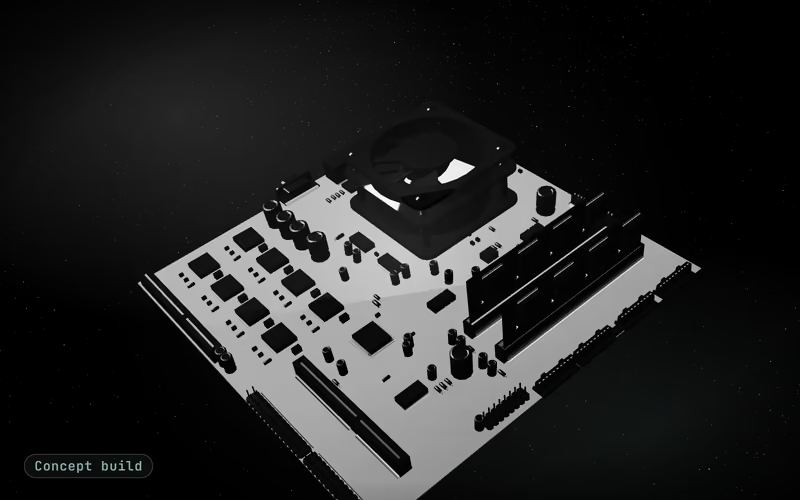
Concept builds are worked examples, not client work.
 Concept build
Custom AI
A concept build for a camera inspection step that sorts machined parts into pass, flagged or unsure with a detector trained on the plant’s own images. Unsure parts always go to a person, and the quality team keeps the final say on scrap and rework.
 Concept build
Custom AI
A concept build for an internal assistant that answers staff questions from a firm’s own documents, inside the firm’s cloud account. Every answer cites its sources, and retrieval is filtered by each person’s existing document permissions, so nobody gets an answer built from a file they could not open.
Related
FAQ
Usually not. Most questions about your own data are answered better by retrieval: the system finds the relevant records and the model answers from them, with sources. Fine-tuning helps with a consistent format or tone, or a narrow classification task, and we recommend it only when tests show retrieval falls short.
Yes. Open-weight models such as Llama or Mistral can be served in your cloud, so prompts and data stay in your environment. That takes more setup and capacity planning than a hosted model, so we compare both on your volume during the assessment.
Access is checked against the user’s role before anything is retrieved, and the role filters are part of the database query, not an instruction to the model. We test it with cross-role cases, such as an analyst asking for finance tables, before launch.
Often, but it depends on each provider’s available regions, which we check component by component during the assessment. Where a hosted provider cannot meet the requirement, we use an open-weight model in your cloud or, for Enterprise scope, on-premise. We never assume a region without checking.
Write-backs are validated against a schema, and changes above your thresholds wait for the system owner’s approval. A wrong answer in a draft or a chat is visible and traceable in the audit log; it does not silently change a record.
Through whatever it exposes: a database read with a restricted account, scheduled file exports, a SOAP service or, as a last resort, a small adapter around its screens. The adapter is isolated and documented, so replacing the old system later means replacing only the adapter.
All of it: integration code, prompts, retrieval pipelines, evaluation sets and any fine-tuned model artifacts, delivered to your repositories with documentation. Provider accounts are in your name, so another team could run and change it without us.
Next step
A free technical assessment call: your systems, your data and your security requirements. You leave with an integration outline and a typical timeline; the fixed price follows in a written proposal.
Free 30-minute call · no commitment
