Skip to content

Concept buildA worked example of how we would build this for a typical business. Not client work: no client, no client data, no achieved results.

AI Agents

Concept build

Pre-call Account Briefs for a UK B2B Sales Team

A concept build for a research agent that prepares a cited company brief before a sales call, so reps start from checked facts, not a pile of browser tabs. It plans its own research, works only through allow-listed tools, links every line to a source, and drafts a CRM note that a rep approves before anything is saved.

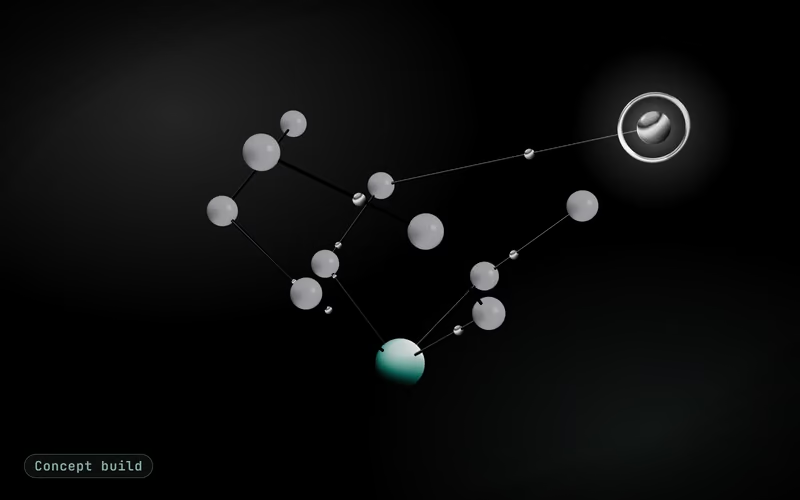
Concept build cover: sage planner, tool and source nodes linked by glowing edges on dark inkConcept build
Built for
A typical sales team at a business services firm
Industry
B2B services
Market
UK market
Typical timeline
4–6 weeks from brief design to a supervised pilot with a few reps

The brief

The problem this concept answers

A typical UK sales team at a business services firm researches every target account by hand before the first call. Reps read the company website, the latest filings on the public register, recent news and the account’s history in the CRM, then paste notes into a document nobody else can find. The work is slow, uneven between reps and easy to skip when the calendar is full, so first calls often open with questions the prospect has already answered in public. Notes rarely make it back into the CRM in a consistent shape, so the next rep repeats the research. A data subscription does not fix it on its own: the facts still have to be read, checked and turned into a point of view for this particular call.

In the first version

  • Brief template agreed with the sales team
  • Read-only tools for the allow-listed sources
  • Planner, citation check and replayable run log
  • Approval screen and CRM note write
  • Evaluation set and a supervised side-by-side pilot

Left out on purpose

  • Emailing or messaging prospects: the agent drafts internal notes only
  • Contact discovery or bought enrichment data
  • Sites whose terms forbid automated access
  • Lead scoring and pipeline forecasting

Explainer

The build in seven slides

Watch the narrated video, step through the slides or read the transcript.

Explainer · 7 slides · about 46 s

Concept build

Concept build: Pre-call Account Briefs for a UK B2B Sales Team

Concept build, explained in 7 slides: a concept build for a research agent that prepares a cited company brief before a sales call, so reps start from checked facts, not a pile of browser tabs.

Concept build: Pre-call Account Briefs for a UK B2B Sales TeamConcept build

AI agents

Pre-call Account Briefs for a UK B2B Sales Team

A concept build for a research agent that prepares a cited company brief before a sales call, so reps start from checked facts, not a pile of browser tabs.

Concept build: Pre-call Account Briefs for a UK B2B Sales TeamConcept build

The problem

What a typical sales team at a business services firm is up against

A typical UK sales team at a business services firm researches every target account by hand before the first call. Reps read the company website, the latest filings on the public register, recent news and the account’s history in the CRM, then paste notes into a document nobody else can find.

Concept build: Pre-call Account Briefs for a UK B2B Sales TeamConcept build

The approach

How we would build it, in 5 steps

  • Brief template and source allow-list
  • Read-only tools with hard limits
  • Planner, extraction and citation rules
  • Rep approval and the CRM write
  • Evaluation set and a side-by-side pilot
Concept build: Pre-call Account Briefs for a UK B2B Sales TeamConcept build

Architecture

How the pieces connect

Diagram: Rep request to Planner model (task); Planner model to Research tools (tool calls); Allow-listed sites to Research tools (fetch); Public register to Research tools (lookup); Research tools to Citation check (facts + links); Citation check to Rep approval (cited brief); Rep approval to CRM via its API (approved note).

Diagram with 8 parts: Rep request (source), Allow-listed sites (source), Public register (source), Research tools (processing), Citation check (processing), Planner model (model), Rep approval (human), CRM via its API (system of record).

Connections:

  • Rep request → Planner model (task)
  • Planner model → Research tools (tool calls)
  • Allow-listed sites → Research tools (fetch)
  • Public register → Research tools (lookup)
  • Research tools → Citation check (facts + links)
  • Citation check → Rep approval (cited brief)
  • Rep approval → CRM via its API (approved note)
Concept build: Pre-call Account Briefs for a UK B2B Sales TeamConcept build

Demo · sample run

Sample data

A cited brief before a first call

Scenario: A cited brief before a first call

  1. Rep asks for a briefSample account: a mid-size UK logistics software firm, first call on Thursday.Done
  2. Planner splits the taskFive questions: what they sell, recent changes, filings, news and CRM history.Done
  3. Allow-listed tools runCompany site, public register and news search: 14 tool calls, inside the cap.Done
  4. Citation checkTwo lines with no source removed; one conflict flagged with both dates.Needs review
  5. Brief shown to the repEight cited facts, three likely priorities and four questions for the call.Done
  6. Rep approves the CRM noteOne line edited, then saved as agent-drafted with its source list.Handed to a person
Concept build: Pre-call Account Briefs for a UK B2B Sales TeamConcept build

Typical targets

What we would measure it against

  • Typical targetA reviewable, cited account brief in under 5 minutes of agent run timeBasis: Timed on the pilot’s test accounts; step and tool-call caps bound how long a run can take
  • Typical target40–70% less rep research time per accountBasis: The same reps on the same accounts, timed by hand before the pilot, against time spent reviewing the brief
  • Typical targetEvery factual line in a brief links to its sourceBasis: Design property: the citation check removes lines without a retrieved source before display
  • Typical targetNo CRM change without a rep’s approvalBasis: Design property: the CRM write sits behind the approval screen;
Concept build: Pre-call Account Briefs for a UK B2B Sales TeamConcept build

Next step

Scope a build like this for your business

A free call to map your workflow, data and the first version.

Book a Strategy CallFree 30-minute call · no commitment

Slide 1 of 7

Architecture

How the pieces connect

  • Rep request· channel
  • Allow-listed sites· source
  • Public register· source
  • Research tools· processing
  • Citation check· processing
  • Planner model· model
  • Rep approval· person
  • CRM via its API· system of record
Show the architecture diagram

Architecture of the Pre-call Account Briefs for a UK B2B Sales Team concept: Rep request → Planner model (task); Planner model → Research tools (tool calls); Allow-listed sites → Research tools (fetch); Public register → Research tools (lookup); Research tools → Citation check (facts + links); Citation check → Rep approval (cited brief); Rep approval → CRM via its API (approved note).

Diagram with 8 parts: Rep request (source), Allow-listed sites (source), Public register (source), Research tools (processing), Citation check (processing), Planner model (model), Rep approval (human), CRM via its API (system of record).

Connections:

  • Rep request → Planner model (task)
  • Planner model → Research tools (tool calls)
  • Allow-listed sites → Research tools (fetch)
  • Public register → Research tools (lookup)
  • Research tools → Citation check (facts + links)
  • Citation check → Rep approval (cited brief)
  • Rep approval → CRM via its API (approved note)

Connections

  1. Rep request → Planner model (task)
  2. Planner model → Research tools (tool calls)
  3. Allow-listed sites → Research tools (fetch)
  4. Public register → Research tools (lookup)
  5. Research tools → Citation check (facts + links)
  6. Citation check → Rep approval (cited brief)
  7. Rep approval → CRM via its API (approved note)

Sample run

One run, step by step

A cited brief before a first callSample data
  1. Rep asks for a briefRoutine

    Sample account: a mid-size UK logistics software firm, first call on Thursday.

  2. Planner splits the taskRoutine

    Five questions: what they sell, recent changes, filings, news and CRM history.

  3. Allow-listed tools runRoutine

    Company site, public register and news search: 14 tool calls, inside the cap.

  4. Citation checkNeeds care

    Two lines with no source removed; one conflict flagged with both dates.

  5. Brief shown to the repRoutine

    Eight cited facts, three likely priorities and four questions for the call.

  6. Rep approves the CRM noteA person takes over

    One line edited, then saved as agent-drafted with its source list.

Build plan

How we would build it

Typical timeline
4–6 weeks from brief design to a supervised pilot with a few reps
Stack
  • Claude, OpenAI or Gemini (tool calling)
  • Allow-listed web fetch with rate limits
  • News search API
  • Public companies register API
  • Your CRM via its API
  • Citation check and run log
  • Approval screen for reps
  • Evaluation set from past accounts
  1. Brief template and source allow-list

    We sit with two or three reps and the sales lead to define what a good brief contains: what the company does, what has changed recently, likely priorities, open questions and what the CRM already knows. In parallel we agree the source allow-list: the company’s own site, the public companies register, a news search API and the CRM. Sites whose terms forbid automated access stay off the list.

  2. Read-only tools with hard limits

    Each source becomes a narrow, read-only tool with its own rate limit and timeout. The agent cannot browse freely, send email or write anywhere except a draft note. A per-run cap on steps, tool calls and model spend stops a run that loops, and every call is logged with its inputs and outputs so a run can be replayed when something looks wrong.

  3. Planner, extraction and citation rules

    A planner model breaks the request into questions, picks tools and records each fact with the URL or register entry it came from. Text fetched from the web is treated as data, never as instructions, so a page that tries to steer the agent is ignored. Before the brief is shown, a citation check removes any line that has no retrieved source behind it.

  4. Rep approval and the CRM write

    The rep sees the brief beside its sources, edits it and approves the CRM note on one screen. Only approved notes are written to the CRM through its API, tagged as agent-drafted with the date and the source list. Rejected drafts are kept with the rep’s reason, and those reasons become test material for the next round of tuning.

  5. Evaluation set and a side-by-side pilot

    We build an evaluation set from accounts the team has already researched by hand and score the agent’s briefs on accuracy, source coverage and usefulness for the call. A pilot with a few reps then runs alongside their normal process for two to three weeks, and both paths are timed on the same accounts before use widens.

Typical targets

What we would measure it against

Targets for a typical business of this kind, not achieved results. A real project measures its own baseline first.
  • Typical target

    A reviewable, cited account brief in under 5 minutes of agent run time

    Basis: Timed on the pilot’s test accounts; step and tool-call caps bound how long a run can take

  • Typical target

    40–70% less rep research time per account

    Basis: The same reps researching the same accounts by hand, timed before the pilot, against the time they spend reviewing the brief.

  • Typical target

    Every factual line in a brief links to its source

    Basis: Design property: the citation check removes lines without a retrieved source before display

  • Typical target

    No CRM change without a rep’s approval

    Basis: Design property: the CRM write sits behind the approval screen; the agent’s own access is read-only

Your project

What a real project adds

  • A tool allowlist you sign off

    Every action the agent may take, with its read or write scope and which ones need a person’s approval first.

  • Traces you can audit

    Each run records the plan, every tool call with its inputs and outputs, and the approval decisions.

  • An evaluation set from your cases

    Real examples from your backlog scored before every prompt, tool or model change goes live.

  • Limits on spend and scope

    Step and cost ceilings per run, so an agent that loops or meets bad data stops and asks instead of carrying on.

Decisions this concept leaves for scoping

  • Emailing or messaging prospects: the agent drafts internal notes only
  • Contact discovery or bought enrichment data
  • Sites whose terms forbid automated access
  • Lead scoring and pipeline forecasting

FAQ

Questions about this build

Is the account research agent running for a real sales team?

No. Nobody runs this agent today; it is a concept build that sets out how we would build it for a typical UK business services firm. The account, tool calls and brief in the demo are invented to show the flow. A real engagement would start by timing the team’s current research on its own accounts, which is where the typical targets on this page get confirmed or revised.

Can a web page trick the agent into doing something it shouldn’t?

The design assumes some pages will try. Fetched text reaches the model as quoted data rather than instructions, every research tool is read-only, and the only thing the agent can write is a draft that a rep has to approve. A page that says “ignore your instructions” can at worst spoil one draft, and both the citation check and the rep see that draft before it goes anywhere.

Does the agent collect personal data about people at the target company?

It researches the organisation, not individuals. Named contacts come only from your CRM, personal social profiles are not on the source list, and briefs keep business-role facts only. Your data protection lead still owns the legitimate-interests assessment under UK GDPR; keeping the data this narrow is what makes that assessment short.

What happens when sources disagree, or the agent finds very little?

Conflicting facts are shown side by side with both sources and their publication dates, and the brief marks the point as unresolved instead of picking one. When the allow-listed sources return too little, the agent says so and lists what it checked, rather than filling the brief with general statements about the industry.

How do you keep the running cost of each brief predictable?

Each run has a ceiling on steps, tool calls and model tokens, agreed at scoping and logged per brief. Summarising a fetched page goes to a lighter model, while the planner’s larger model is used only to decide what to look up next. During the pilot the cost per brief is reported every week, so the ceiling is set from real runs.

Worked examples

More concept builds for this service

Concept builds are worked examples, not client work.

See all concept builds
Concept build

AI Agents

WhatsApp Lead Qualifier for a Property Agency

A concept build showing how we would build an AI agent that qualifies property leads on WhatsApp and website chat at any hour. It would ask about budget, area and timing, score each lead against the agency’s own rubric and book viewings for qualified buyers, so agents spend their time with people who are ready to view.

  • Real Estate
  • Sep 2026
Concept build

AI Agents

Catalogue Enrichment Agent for an Online Marketplace

A concept build for a US online marketplace where sellers upload products with thin titles and half-empty attributes. An agent reads each new listing and the supplier’s spec sheet, fills category attributes and a description from that data only, validates the result against the category schema and sends it to a merchandiser for approval. Nothing publishes without a person.

  • E-commerce (marketplace)
  • US market
  • Oct 2026
Concept build

AI Agents

Supplier Follow-up Agents for a Trading and Distribution Company

A concept build for the purchasing team of a UAE trading and distribution company that chases overseas suppliers by hand for order confirmations, ship dates and shipping documents. Four agents split the work: a planner picks the orders that need chasing, a researcher gathers the facts, a writer drafts one email per supplier and a reviewer checks every figure against the sources. A buyer approves each email before it goes, so nothing reaches a supplier on its own.

  • Wholesale and distribution
  • UAE market
  • Oct 2026

Next step

Have a workflow in mind? Let’s scope it together.

Book a free 30-minute strategy call. Bring one process you want to automate and we will talk through scope, integrations and a sensible first step.

Free 30-minute call · no commitment

Send an RFP or security questionnaire